Excel Processor App

📁
Drag & drop your Excel file here
or click to browse
Auto-fix outlines ? When checked: Modifies the input outline levels from the Tasks Table so that only the first task is level 1. All others will be increased by 1 (outline level + 1). Anything over level 3 after adjustment becomes level 3.

When unchecked: Takes the outline levels as-is. You can modify them manually in your source file before uploading.
📖 Step-by-Step Guide

Step 1:

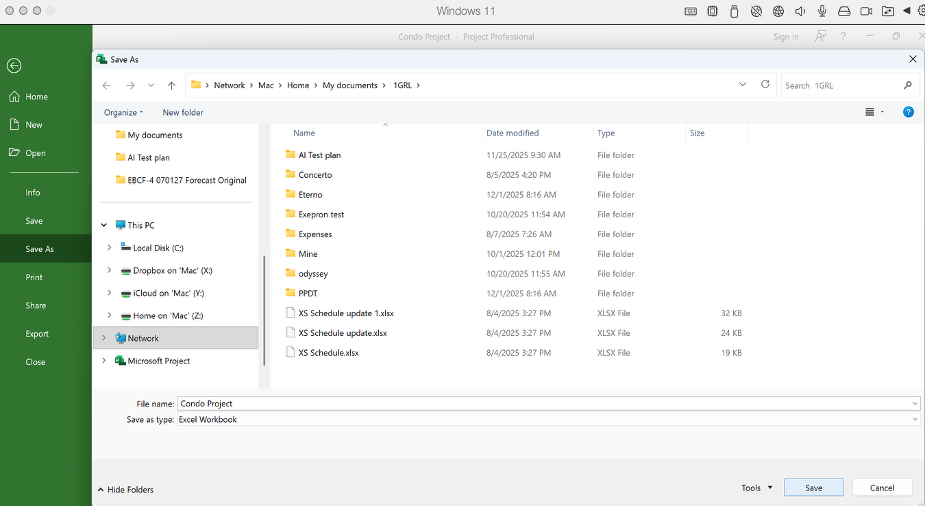
To save the MS Project file in an Excel format for a PPDT file, choose Save As, select your destination, then choose the file name. Below that, where it states "Save as type", choose Excel Workbook or CSV (comma delimited).
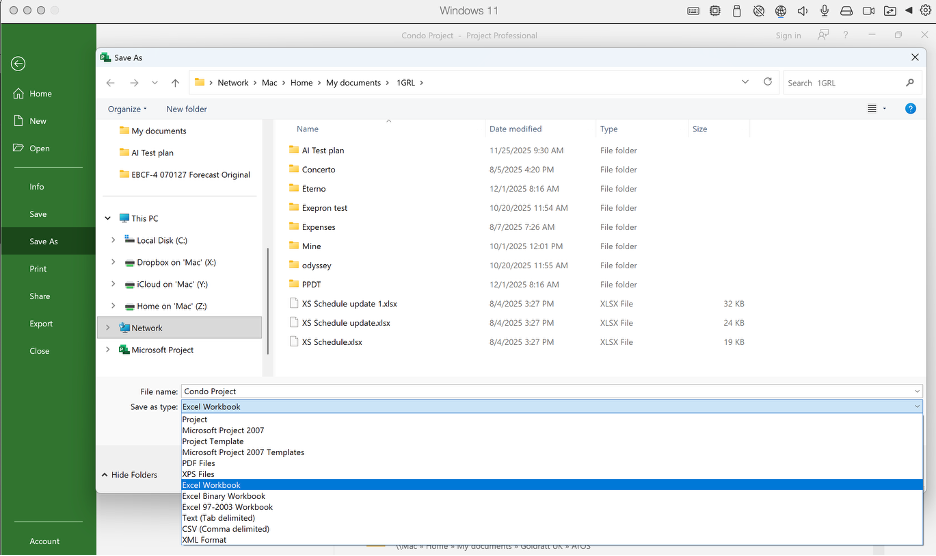
Step 1 - Save As dialog

Step 2:

Then choose Save.

Step 2 - Save button

Step 3:

The export wizard will pop up. Choose Next.
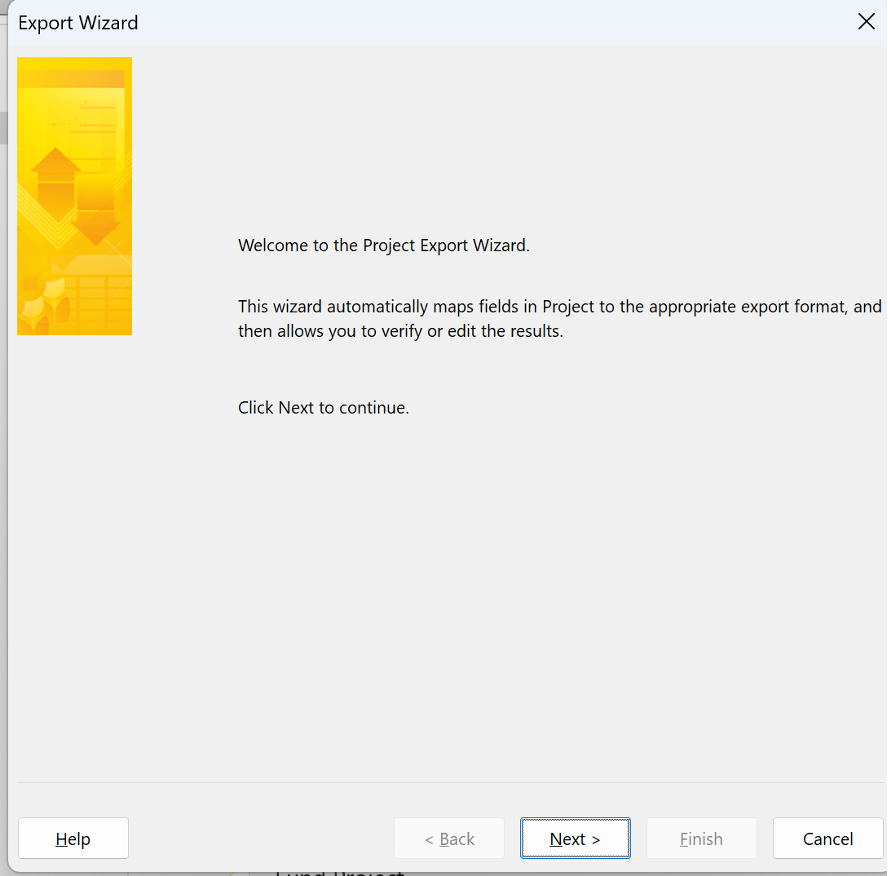
Step 3 - Export wizard

Step 4:

Choose Project Excel Template. Then choose Finish.
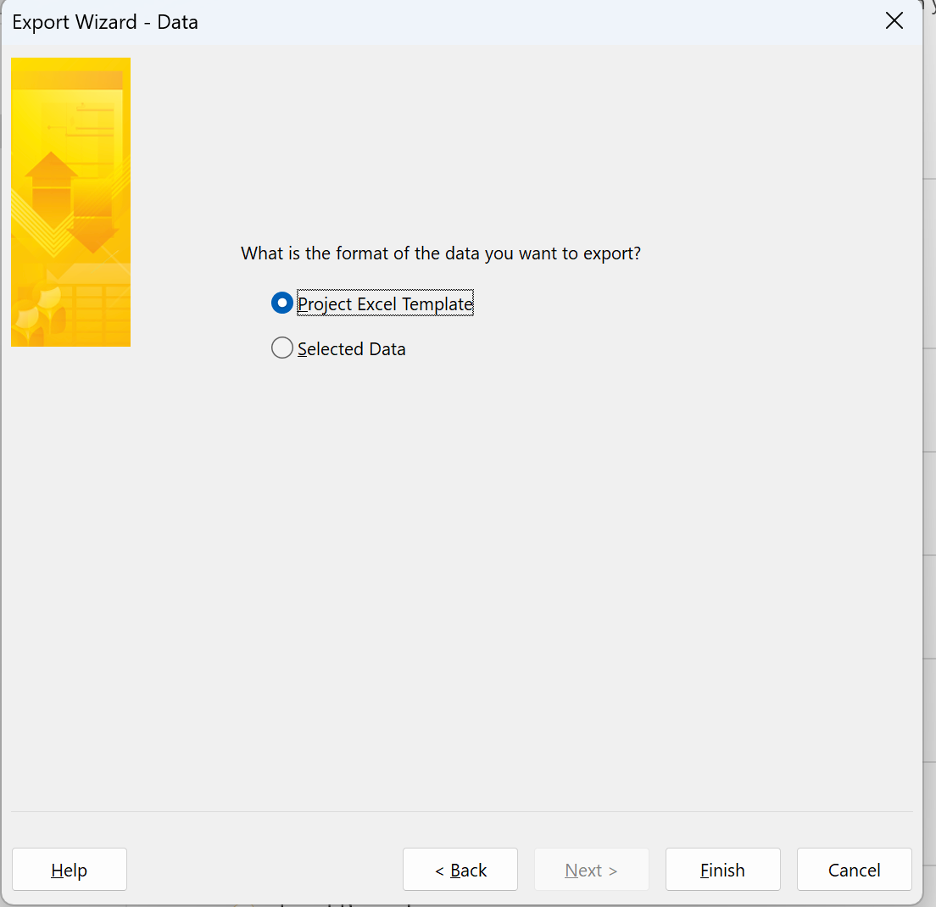
Step 4 - Project Excel Template